


C
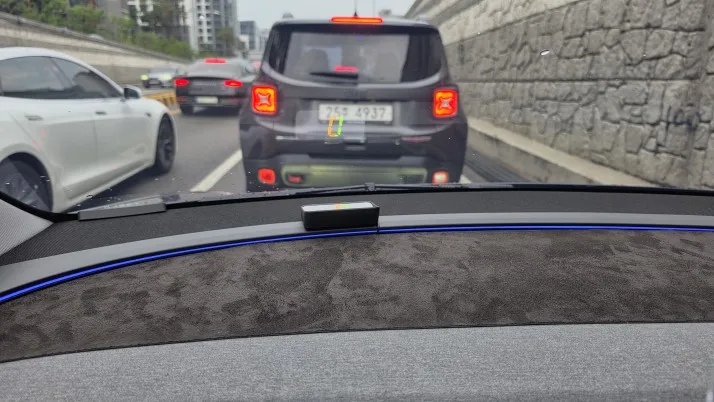
I used the previous one from Cheonwon Mart and it was good, but it was 5km faster per 100km. This product is adjustable, so I really like it.


GPS Head-Up Display | Car Windshield Speedometer HUD | Plug & Play

Free NZ shipping over $79 · $10 flat rate otherwise
Estimated delivery: 7–14 business days
30-day returns · 12-month warranty · Secure checkout
Project your real-time GPS speed directly onto your windshield with this compact, plug-and-play head-up display. No OBD port needed — just plug into any USB port and you're ready to go in minutes.
⚠️ Important: The speed unit (KM/H or MPH) is fixed and cannot be changed after purchase. Please select the correct unit for your region before ordering. New Zealand uses KM/H.
Uses GPS satellite data to accurately display your real-time speed — no connection to your car's OBD system required. Works with all car models that have a USB port.
Simply plug the USB cable into your car's USB port or cigarette lighter adapter, place the unit on your dashboard, and attach the reflective film to your windshield. Ready in under 5 minutes.
The display automatically adjusts brightness based on ambient light conditions — clear and readable in bright sunlight and at night without being distracting.
Available in White Light or Green Light to suit your preference and dashboard aesthetics.
Compatible with all car models that have a USB port. No special wiring or installation required.
| Feature | Details |
|---|---|
| Speed Source | GPS |
| Power Supply | Car USB Port (DC 5V) |
| Display Colours | White Light or Green Light |
| Speed Units | KM/H or MPH (fixed — select before ordering) |
| Size | 70 × 42.8 × 20mm |
| Material | ABS + PC |
| Signal Acquisition | 1–3 minutes (outdoors) |
1. Use outdoors with windows open for best GPS signal.
2. Plug USB cable into your car's USB port and connect to the device.
3. Place unit on dashboard and stick the reflective film to your windshield.
4. Start your car — allow 1–3 minutes to acquire GPS signal.
5. When "0" appears, setup is complete. Drive and your speed will display in real time.
6. Unplugging the cable powers the device off.
I used the previous one from Cheonwon Mart and it was good, but it was 5km faster per 100km. This product is adjustable, so I really like it.